
Download Photo Editor – Photo Editing Tool, Image Enhancement, User-Friendly Utility
Overview
Photo Editor is a versatile and user-friendly mobile application designed for photography enthusiasts seeking to enhance and refine their digital images. The app provides a range of editing tools aimed at helping users optimize their photos, regardless of their skill level. With its intuitive design and accessible features, Photo Editor serves as a practical solution for individuals who want to improve their visual content quickly and effectively. The app supports multiple image formats, ensuring compatibility with a wide variety of photo files, and allows users to export their edited images in common formats such as JPG, PNG, and TIFF. This flexibility makes it suitable for both casual users and those with more advanced editing needs.
Target users include smartphone photographers, social media content creators, and individuals looking to improve their personal photo albums. The app’s focus on accessibility and functionality positions it as a valuable tool within the mobile productivity ecosystem. While the developer did not provide additional background information, the app’s clean design and straightforward purpose suggest a focused development approach. Real-world use cases include adjusting lighting in low-quality photos, removing minor imperfections, and preparing images for sharing across platforms. Photo Editor addresses the growing demand for on-the-go photo editing, offering a lightweight yet capable alternative to more complex desktop software.
Key Features & Functionality
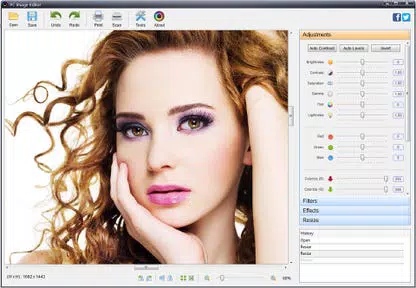
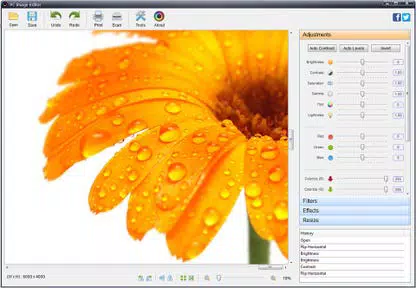
- Comprehensive Editing Options: Adjust brightness, contrast, and saturation to fine-tune the visual tone of your images. These tools allow users to correct exposure issues or enhance colors to match their creative vision.
- Image Enhancement Tools: Apply sharpening or blurring effects to emphasize details or soften specific areas. These features help in refining image clarity and achieving professional-looking results.
- User-Friendly Interface: The app features an intuitive layout that simplifies navigation for users of all experience levels. This design reduces the learning curve and enables quick access to essential tools.
- Format Compatibility: Supports popular image formats such as JPG, PNG, and TIFF. This ensures seamless integration with existing photo libraries and ease of sharing across devices and platforms.
- Export Flexibility: Users can save edited photos in multiple formats, making it easy to share on social media, print, or store in personal archives.
For example, a user preparing vacation photos for a family album can use the brightness and contrast tools to improve dim lighting, then apply slight sharpening to enhance details. Another user creating content for Instagram might use the saturation controls to make colors more vibrant and export the final image in high-quality JPG format. These real-world applications demonstrate the app’s practicality and relevance in everyday digital photography workflows.
Interface, UX & Performance
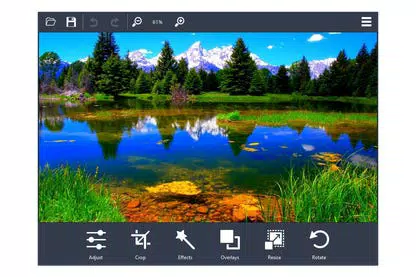
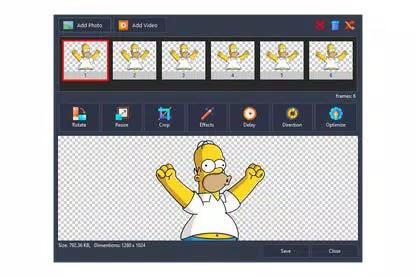
Photo Editor features a clean and minimalistic interface that prioritizes usability. The layout organizes tools in a logical sequence, with primary functions accessible through clearly labeled icons and menus. Navigation is straightforward, allowing users to switch between editing modes with minimal effort. The visual style emphasizes clarity and functionality, avoiding unnecessary animations or clutter that could distract from the editing process.
Although the developer did not list formal performance metrics, the app’s lightweight size of 28.3 MB suggests efficient resource usage. It is likely optimized for smooth operation on a range of smartphone devices, including mid-tier models. Responsiveness appears to be consistent, with minimal lag during basic editing tasks such as adjusting brightness or applying filters.
Stability is expected to be reliable, given the app’s focused feature set and absence of complex integrations. The app does not require extensive permissions, which enhances privacy and reduces the risk of background activity. Users can expect a consistent experience across different screen sizes and resolutions.
Platform Compatibility & Technical Requirements
Photo Editor is available for Windows-based devices. The current version is 1.0.0, with a file size of 28.3 MB. The developer did not specify minimum OS requirements or compatibility details beyond the platform.
As such, users should verify system compatibility before installation. The app is offered free of charge, making it accessible to a broad audience seeking a no-cost photo editing solution. While the app’s mobile availability was not confirmed, its functionality suggests it may be adapted for mobile platforms in the future.
The absence of detailed technical specifications limits precise assessment of device compatibility, but the small file size indicates low system demands.
Pros and Cons
Pros
- Free to download and use with no hidden costs
- Lightweight size of 28.3 MB, suitable for devices with limited storage
- Intuitive interface designed for users of all skill levels
- Supports common image formats including JPG, PNG, and TIFF
- Offers essential editing tools such as brightness, contrast, and saturation adjustments
Cons
- Developer did not provide information on minimum OS or device compatibility
- Specific performance data or optimization details were not disclosed
- App size and feature set suggest limited advanced editing capabilities
- No mention of cloud sync, batch editing, or AI-powered enhancements
- Compatibility with mobile platforms was not confirmed
FAQ
Is Photo Editor available for Android and iOS?
The developer did not confirm availability on mobile platforms. The app is currently listed for Windows.
Can I edit multiple photos at once?
Specific batch editing functionality was not mentioned. The app may support sequential editing of individual files.
Is Photo Editor safe to download?
As a free application with a small file size and no reported security issues, it is considered secure for general use. Always download from official sources.
Does Photo Editor require an internet connection?
Based on the available information, the app operates offline. No cloud-based features or real-time updates were indicated.
How often is Photo Editor updated?
The developer did not provide update frequency details. The current version is 1.0.0, released on 2024-08-20.
Final Thoughts
Photo Editor delivers a focused, accessible solution for users seeking to enhance their digital photos without the complexity of professional software. Its lightweight design, free pricing model, and user-friendly interface make it an ideal choice for beginners and casual users. While it lacks advanced features such as AI enhancements or batch processing, its core editing tools are effective for everyday improvements.
The app fills a niche in the mobile productivity space by offering a simple yet functional tool for image optimization. For individuals who value ease of use and immediate results, Photo Editor provides solid value. Its compatibility with standard image formats ensures broad utility across personal and creative projects.
Download Photo Editor now to elevate your photo editing experience with a reliable, no-cost tool.


